

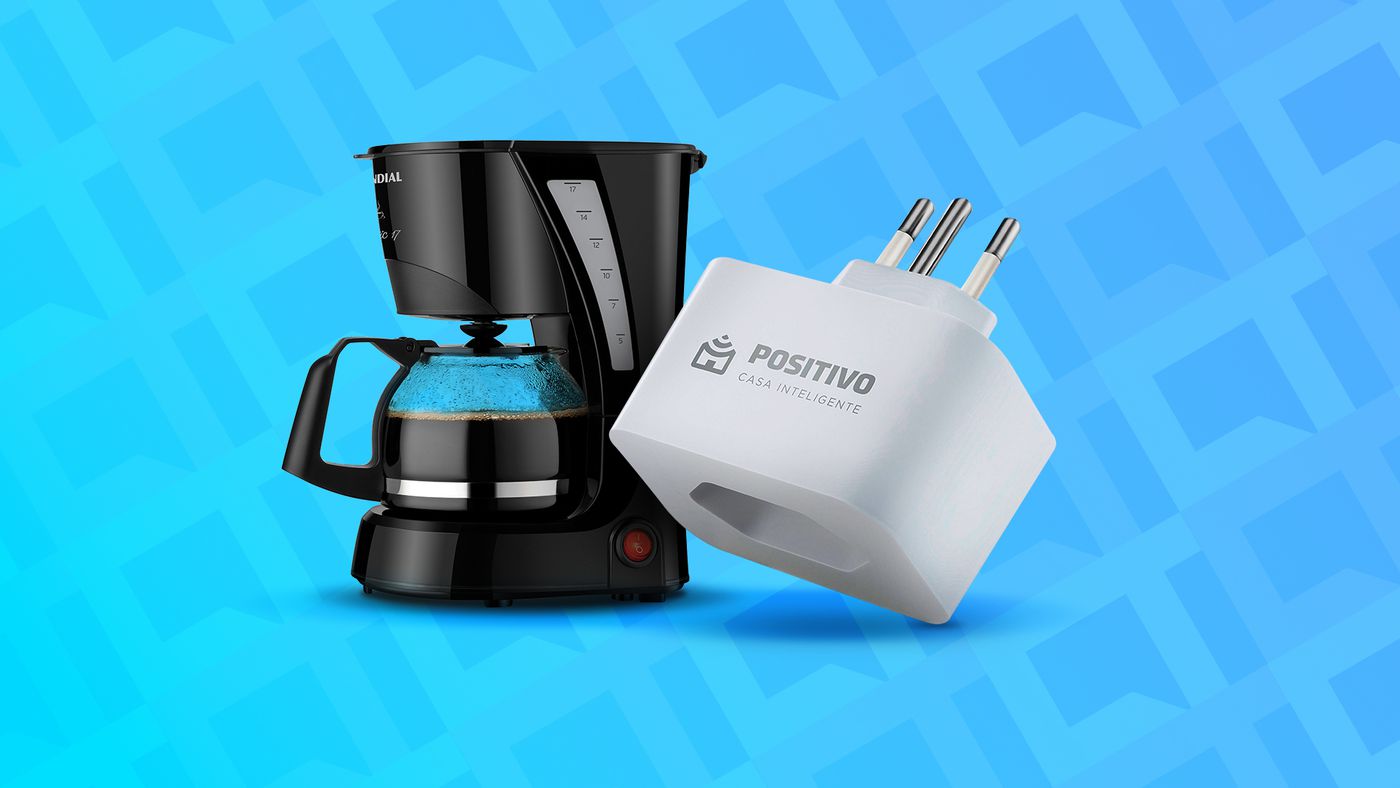
A smart plug is a connected home device that may not have its full potential that everyone can easily see. The product is often explained simply as a timing tool for disconnected electronics. But it is much more than that. The possibilities of use are numerous, and many of them are quite creative. See below 10 weird uses for smart plugs.
Perhaps not one of them helps you think of a new possibility to make your daily life easier.
1- Leave the coffee ready for waking time
Waking up with the smell of coffee and actually being able to drink it a few minutes after waking up is an idea that seems out of the future. But it isn’t, and you can do it today, in 2022.
All you have to do is get a coffee maker that doesn’t turn off and plug it into a smart socket. Then you go to the device and software app to turn on the power about five minutes before the alarm goes off. Well, the coffee is ready when you wake up.
This idea relies on a few variables to work. Not all coffee makers turn on automatically when connected to the power source. Also, it is essential that you put water and coffee in the right place before going to sleep at night.
And don’t forget to program the socket to close a few minutes later than expected to finish brewing the coffee. Or manually, via the hardware button, when you pick up your cup. Otherwise, you risk spoiling the coffee maker.
2 – remote control fan
Sleeping all night with the fan running can be bad for some people. But there are days when it’s too hot to sleep without the wind. How do we do it then?
It is possible to make use of the smart socket for this. Simply plug the fan into it and the app programs a time to cut off the power. It may take, for example, about an hour before you fall asleep. Then there is time to sleep peacefully in a cool room.
You can also schedule a fan to restart. Then it can be, say, 15 minutes before you wake up. You will wake up with a refreshing environment again.
3- Avoid unwanted visitors
This is only for those who have a bell plug. You can use a smart socket to avoid unwanted visits at specific times.
The idea is to turn off the power automatically, for example, every day at 10 pm. And turn it on again by the time you wake up, or just during work hours, at 8 am.
/i500509.jpeg)
That way, if someone tries to ring the doorbell late at night or early in the morning, you won’t hear them. After all, you will be out. And you don’t even need to touch the socket.
4- Fresh water for pets without disturbing them at dawn
The advice is mainly for those who have a cat. Cats are very fond of running water, and some refuse to drink still liquids. Therefore, many cat owners end up buying a fountain that will always keep the water fresh.
But the noise of the fountain motor can be annoying during the early hours, when everything is quiet in the house. And it doesn’t have an accessible on or off button, so operation is limited to working hours at home only.
This is where the smart socket comes in: just program it to turn off the source pump near the time the last person in the house goes to bed, and turn it on again shortly before the first person wakes up. This way the cats get fresh water, at least during the day, and can continue to drink standing water during the night, if they wish.
5- Turn off the TV at night
Not every modern TV has a self-timer function. And not everyone remembers setting the feature when they lie down to watch a show before bed. For both problems, there is a simple solution.
With the smart socket, you can set a fixed time to turn off the TV every night. Or use a voice command to have the Home Assistant turn it off within a few minutes or hours.
/i505891.png)
Moreover, you can also use the port to prevent kids from watching TV at times when they should be playing outside or doing their homework. The uses of the smart TV socket are numerous.
6- Avoid excessive cold with a humidifier
A humidifier may be necessary in some cities of Brazil, where the weather is generally very dry. But the device can bring a second problem, the extreme coldness of the environment, if left all day.
To avoid this and not have to get up several times a day to turn it on and off, you can use a smart socket. It is enough to program several times a day to turn it on and off, thus making cycles of 15, 30 or even 60 minutes of operation, with some breaks.
Remember that a smart socket can always be connected to a voice assistant. And then you can turn on and off the connected device with a simple command to Alexa or The Google.
7 – Maintaining the battery life of tablets and laptops
Laptops and tablets are intended for portability, but not as easy to carry around as a cell phone. In general, they are used more often indoors – and this is even better, because the battery does not last long.
Sometimes we use one of these devices in the same location, or at least in the same environment. It’s also easier to keep them always connected, and only take them out when we need to temporarily move them elsewhere. So why not leave it plugged in all the time?
/i623874.jpeg)
The answer is simple: to keep the battery healthy. This is where the smart plug comes in. Simply program it in the app to run once or twice during the day, thus ensuring a few recharges to keep the device always on battery.
8 – Avoid overcharging batteries and batteries
Some devices still need a battery or removable battery to recharge. And we don’t always remember to unplug it within the time allotted for a full charge, which can increase the load and shorten the life of the product.
You can use smart plug to avoid this. Simply plug the charger into it and program the app to turn it off when the allotted time has passed.
For example, let’s say you want to charge a battery that needs eight hours at the outlet. If you plug it in at 1pm, just program in the app for the outlet to interrupt the power to the charger at 9pm.
9- Energy saving
The electric bill is getting more and more, but you can take advantage of the smart outlet to reduce the consumption in your home a little bit. Of course, there are some electronic devices that cannot be turned off, such as the refrigerator. And some do not need it, because they do not stand by them.
But you can try to reduce the excessive consumption of old devices, which were created at a time when preparation was not as economical as it is today. However, you can reduce some consumption by using smart plugs on TVs, microwaves, even TV boxes and the like.
/i623876.jpeg)
One idea is to always leave the socket closed, and only turn it on when you need the electronics. But you can also leave it on when you’re most likely to use it, and turn it off especially at night.
It’s a small savings, but it can make a difference at the end of the month.
10 – Christmas Tree Flasher
Finally, vacations can be a lot less stressful by taking them smart. After all, why do you remember to turn your Christmas tree or porch lights on and off every day if you can rely on technology?
You don’t even have to buy a new smart socket just for this. You can use one that has another function temporarily. Then program it to turn on shortly after dark and turn off at dawn. There, your Christmas decorations are automated.

“Friendly zombie fanatic. Analyst. Coffee buff. Professional music specialist. Communicator.”

